
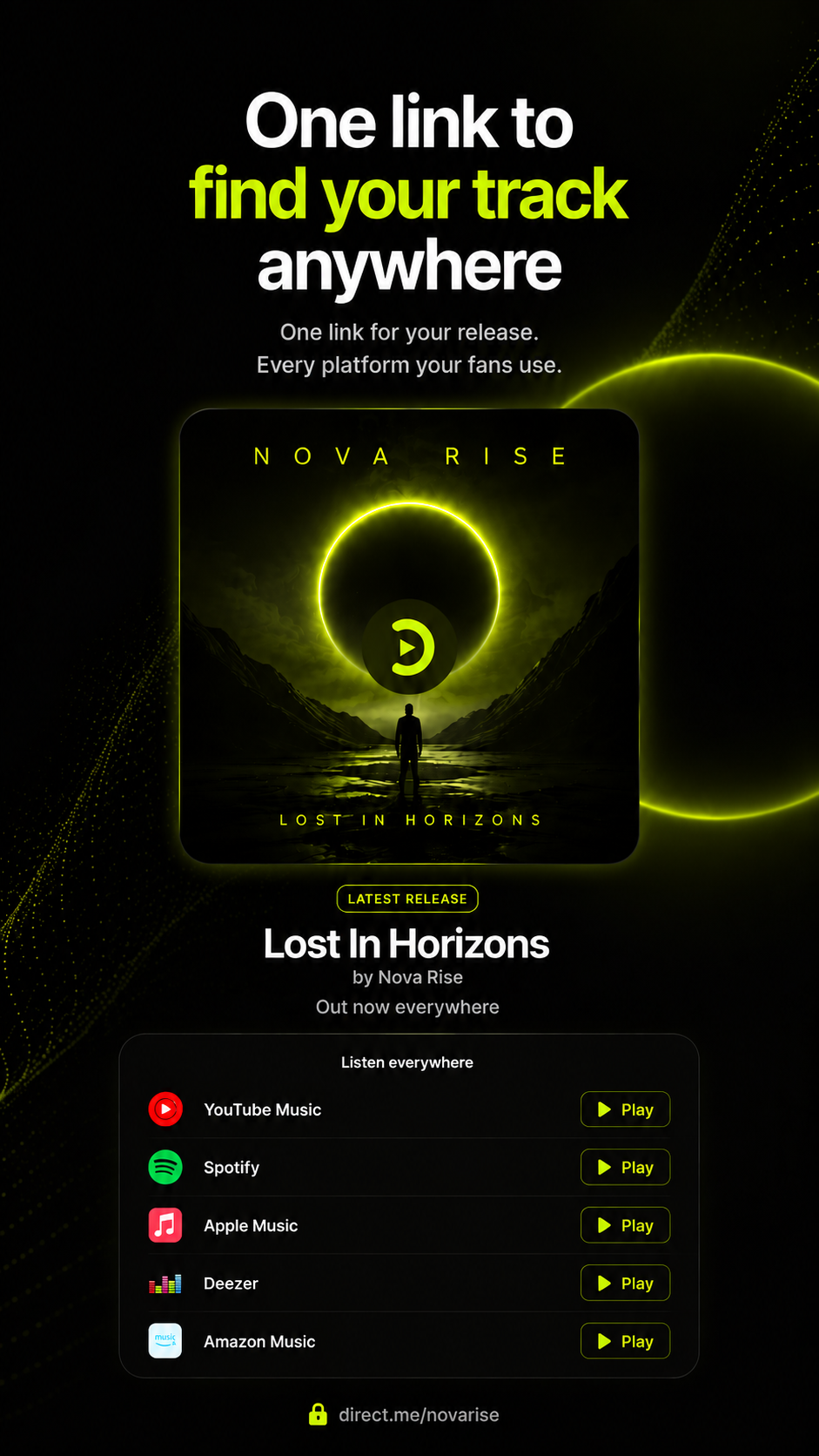

Track
Send listeners to the service they already use.
Direct.me · Profile block
Direct.me Pro · Included with your plan
Create your account
Takes less than a minute.
About this block
Fans do not all listen in the same place. The Track block gives one bio-page home for a release, then points each listener toward their preferred platform without making them search comments, captions, or old stories.
Use it for singles, albums, podcast episodes, presaves, or any audio launch where every tap matters.
Use it for singles, albums, podcast episodes, presaves, or any audio launch where every tap matters.
How to use
-
Add the block
Open Add blocks and choose Track.
-
Add the reason to listen
A short line about the song, episode, or release helps followers care before they choose a platform.
-
Verify each destination
Click every service before you post. Broken links waste the attention you worked to earn.
Highlights
- Reduces “where can I listen?” friction
- Supports release campaigns, presaves, and evergreen tracks
- Respects that followers use different audio platforms
- Keeps the focus on plays, saves, follows, and shares
Common questions
- What does the Track block do?
- It creates one page section for a song, episode, or audio release with links to the listening platforms you choose.
- How is it different from Spotify?
- Spotify focuses on Spotify embeds. Track is better when you want to send listeners to multiple services from one release.
- Can I use it before a release is live?
- Yes. Use it for presave or prelaunch links, then update the destinations when the track is available.
- What kinds of audio can it support?
- Use it for singles, albums, podcast episodes, mixes, show trailers, or any audio with several listening destinations.
- Where should I place it?
- Place it near launch copy, artist context, tour dates, merch, or subscribe actions that support the release.
Information
- Provider
- Direct.me
- Category
- Essentials
- Compatibility
- Works on phones and desktop
- Languages
- Titles follow your release metadata